
How Do You Issue a Subcontract Change Order?
By Wyatt Cooper · Published · 8 min read
Key takeaways
- A subcontract change order is the signed document that changes one subcontract's price, time or scope; the owner's change order does not change the subcontract by itself.
- Issue it once the owner's change is signed (or once you direct the work), at the sub's accepted cost, never at the owner's price with your markup.
- Show the arithmetic on its face: original subcontract sum, earlier change orders, this change, and the new subcontract sum.
- In the worked example, change order 3 for $6,214.08 takes a $412,600.00 subcontract to $426,064.08 after an earlier add and an earlier deduct.
To issue a subcontract change order, write a numbered change to that one subcontract: the subcontract and change numbers, the cause and the owner change order or directive it follows, the scope in plain words, the agreed amount at the sub's accepted cost, the days added, and the new subcontract sum after every earlier change. Both parties sign it, the GC updates the commitment and budget, and the sub bills it as its own line.
Two documents, two contracts
On a typical commercial job there are two contracts in a chain: the prime contract between the owner and the GC, and each subcontract between the GC and a sub. A change order signed by the owner changes the prime contract. It does not change the subcontract; only a change to the subcontract, signed by the GC and the sub, does that. Until it is issued, the sub has nothing to bill against and you have no record of what you agreed.
AIA publishes a contractor–subcontractor change order form (G701S). Its summary says that executing it indicates agreement on all the terms of the change, including any change in the contract sum (or guaranteed maximum price) and the contract time. Whatever form you use, it should do the same: one signed page that settles price, time and scope for that change.
- 1SubcontractorSends a priced change order request with backup
- 2GCReviews it and agrees the sub's cost
- 3OwnerSigns the prime contract change order at the GC's price
- 4GCIssues the subcontract change order at the sub's accepted cost
- 5SubcontractorSigns it and bills it on the next pay application
When to issue one
- After the owner signs a change that includes the sub's work: issue the matching subcontract change order at the cost you accepted in your review of the sub's request.
- When you direct a change yourself, for example to move scope from one sub to another, or to add work the owner will not pay for: the subcontract still has to change, even with no owner change order behind it.
- For a deduct, when work is deleted from the sub's scope: issue a negative change order so the subcontract sum, and the sub's billing, come down.
- When only time changes: issue a no-cost change order that adds the days, so the schedule and the subcontract agree.
If you direct the sub to proceed before the price is agreed, say so in writing and say how it will be priced. Your prime contract likely works the same way: the federal changes clause lets the Contracting Officer make changes within the general scope by a written order, and treats other written or oral orders that cause a change as change orders only if the contractor gives written notice (FAR 52.243-4, paragraphs (a) and (b)). Give your sub the same clarity you need from the owner.
What goes on a subcontract change order
| Part | What to write | Why |
|---|---|---|
| Numbers | The subcontract number and the next change order number on it | The sub's billing and your commitment log reconcile by number |
| Cause | The owner change order, directive, RFI or bulletin it follows, by number and date | Ties the sub's change to the prime contract change |
| Scope | What is added, deleted or changed, referencing the request | Settles what the price covers |
| Amount | The sub's accepted cost, including its allowed markup | Never the owner's price with your markup |
| Revised sum | Original sum, earlier changes, this change, new subcontract sum | Shows the arithmetic both sides agree |
| Time | Days added or saved, or "no change" | A signed change with no time stated often settles time too |
| Reservation | Any claim either side keeps open, stated in an amount | Otherwise the signed change may be read as settling everything |
| Signatures | Someone with authority at the GC and at the sub | It is not a change until both sign |
A worked example: change order 3 on a fictional electrical subcontract
The job and companies are fictional. A GC, "Corbel Construction", holds subcontract SC-014 with "Brightline Electric" for $412,600.00 on the "Halvorsen Office Fit-Out". Change order 1 added $8,450.00 for floor boxes. Change order 2 deducted $1,200.00 when the owner deleted two exterior sconces. The owner has now signed its change order 9, which includes the copy room circuits the GC accepted from Brightline at $6,214.08 and one working day.
| Item | Amount | Running subcontract sum |
|---|---|---|
| Original subcontract sum | $412,600.00 | $412,600.00 |
| Change order 1: floor boxes (add) | $8,450.00 | $421,050.00 |
| Change order 2: exterior sconces deleted (deduct) | −$1,200.00 | $419,850.00 |
| Change order 3: copy room circuits (add) | $6,214.08 | $426,064.08 |
| Net change by change orders | $13,464.08 |
The check: $8,450.00 − $1,200.00 + $6,214.08 = $13,464.08, and $412,600.00 + $13,464.08 = $426,064.08. The owner's change order 9 carries the GC's 5% on top ($6,524.78 in all); the subcontract change carries only Brightline's accepted cost.
Subcontract SC-014, change order 3 — Copy room circuits
- Project
- Halvorsen Office Fit-Out (fictional)
- Subcontractor
- Brightline Electric (fictional)
- Cause
- Owner change order 9; architect's bulletin 6; Brightline request 011
- Scope
- Furnish and install eight dedicated 20 A circuits to the copy room, per bulletin 6 and request 011 as accepted by the GC
- Amount
- $6,214.08, including 15% overhead and profit
- Subcontract sum
- $412,600.00 original; $7,250.00 by change orders 1 and 2; $6,214.08 this change; $426,064.08 new sum
- Time
- 1 working day added to the copy room activities
- Reservation
- None
- Signatures
- Corbel Construction project manager; Brightline Electric president
After it is signed
- Update the commitment: the revised subcontract sum, the change order log and the balance left to bill.
- Move the cost in the budget, by cost code, so committed cost and the budget agree.
- Tell the sub how to bill it. Some owner specifications ask for each change order as a new line on the schedule of values; the University of Houston's payment procedures section, for example, says to include each change order as a new line item (Section 01 29 00).
- Reconcile your change order log with the sub's every month, so pending and executed changes never get mixed on a pay application.
How the sub bills the change, including deducts and partly finished changes, is in how to bill a change order on a pay app. Where it sits among the GC's other jobs is in the general contractor's guide and the project lifecycle.
How it works in Conflo
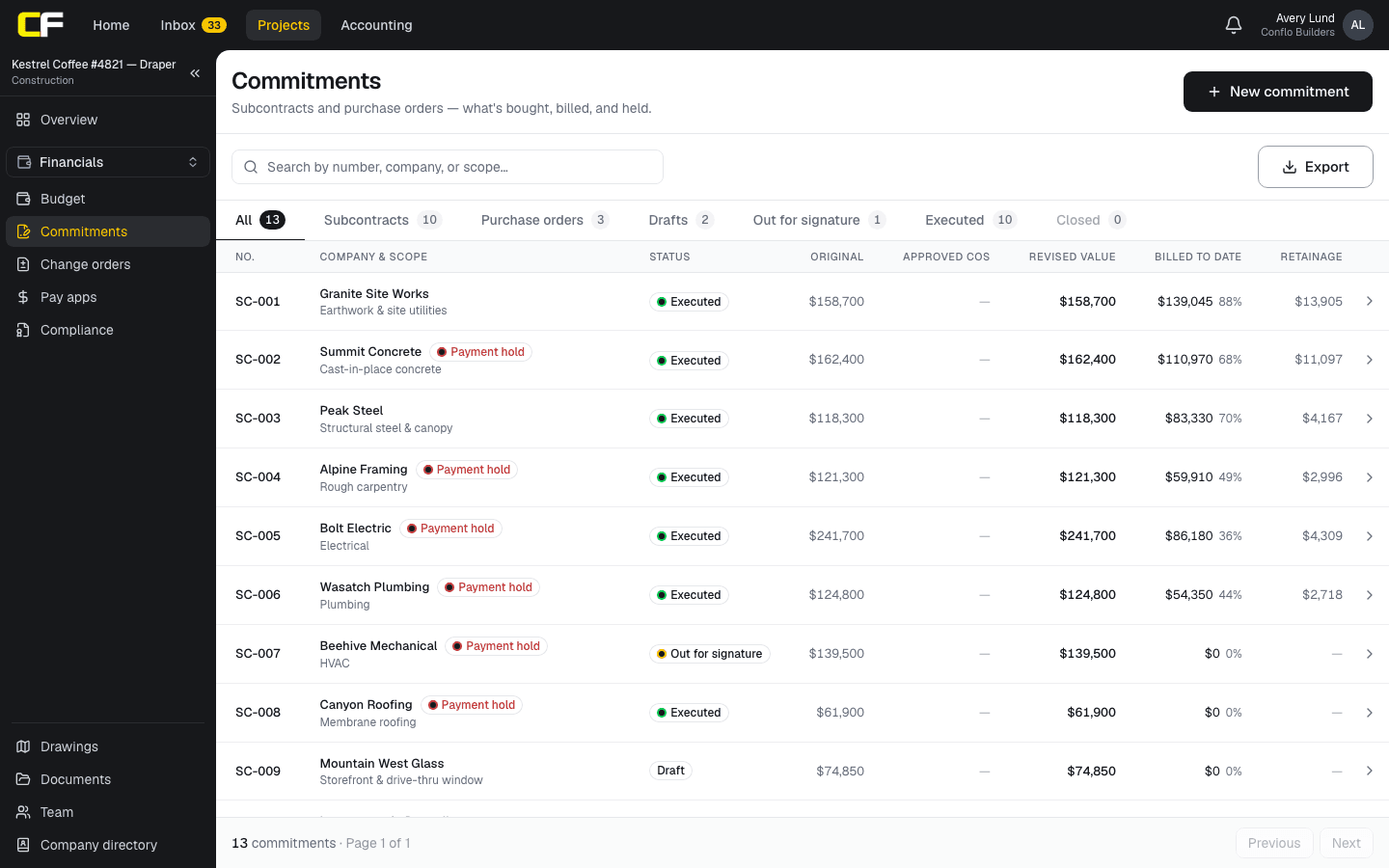
In Conflo the GC can name the subcontractor on a change order it writes, and a change order a sub writes carries its company. When the owner approves it, the change order is executed and its page says the subcontract change order was issued to that sub, for the sub's cost. The cost also goes into the budget's approved changes by cost code.
On the sub's commitment, the change order is listed as approved (or pending while it is still in review), and the commitment shows the original value, approved change orders, the revised value, what has been billed and the balance. Limits today: every change order in Conflo goes to the owner for approval, so a change between the GC and a sub alone (a deduct or scope moved between subs with no owner change) is not issued in Conflo, and there is no separate signed subcontract change order document; if your subcontract needs one, sign it outside Conflo.
The bottom line
Issue a subcontract change order for every change to a sub's price, time or scope, at the sub's accepted cost, with the revised subcontract sum on its face and both signatures.
Then update the commitment and the budget the same day, so the sub's next pay application and your cost report agree.
Sources
- Summary: G701S–2017, Change Order, Contractor-Subcontractor Version — AIA Contract Documents. Read October 22, 2026.
- FAR 52.243-4, Changes — Acquisition.gov, U.S. General Services Administration. Read October 22, 2026.
- Section 01 29 00, Payment Procedures (master construction specification) — University of Houston, Facilities Planning and Construction. Read October 22, 2026.
Questions
What is a subcontract change order?
A signed change to one subcontract's price, time or scope, between the GC and that subcontractor. It follows the owner's change order, or a change the GC directs itself, and it is what the sub bills against.
Should a subcontract change order show the GC's markup?
No. It carries the sub's accepted cost, including the markup the subcontract allows the sub. The GC's own markup belongs on the owner's change order.
Can a GC issue a change order to a sub without an owner change order?
Yes, when the GC directs the change itself, such as moving scope between subs, adding work the owner will not pay for, or deleting work from the sub's scope. The subcontract's changes article says how.
How do you write a deduct change order?
Like an add, with a negative amount: the scope deleted, the credit, and the new, lower subcontract sum. The sub then shows it as a negative line on its schedule of values.
Does a signed change order settle the schedule too?
Often, if it states the time or says no change. If either side is keeping a time or cost claim open, write it on the change order in a stated amount before signing.
Related
Money
How Does a GC Review a Sub's Change Order Request?
Review a sub's change order request like the owner will: is it a change, was notice on time, do hours, prices and markup hold up. Worked example.
· 8 min read
Money
How Do You Bill a Change Order on a Pay App?
Add an executed change order to your pay app: its own line, the new contract sum, partial billing, deducts and retainage, with a worked example.
· 7 min read
Money
How Do You Price a Change Order?
Price a change order from direct cost (burdened labor, materials, equipment, sub quotes), then the markups and time your contract allows. Worked example.
· 9 min read
Definition
Change Order vs Construction Change Directive
A change order is an agreed change in scope, price and time; a construction change directive orders the work before price or time is agreed.
· 4 min read
Role hub
The General Contractor's Guide: Bid to Closeout
What a general contractor is responsible for at every phase of a commercial job, from bidding and buyout to RFIs, change orders, pay apps and closeout.
· 8 min read