
How Do You Build a Construction Schedule?
By Wyatt Cooper · Published · 8 min read
Key takeaways
- Build the schedule from the estimate and the bid packages, so every activity is a piece of work someone priced and someone will do.
- Keep construction activities to 20 working days or less and size each duration from quantity and crew output, not from a guess.
- Tie every activity to a predecessor and a successor; only the first and last activity may have an open end.
- Put submittals, fabrication and deliveries in the network, because a long-lead item is often what sets the critical path.
To build a construction schedule, break the work from the estimate into activities of 20 working days or less, size each duration from its quantity and the crew's daily output, and link every activity to what must finish before it starts. Add submittals, fabrication and deliveries as activities, add inspections and closeout, then calculate the critical path and float. Review it with the subcontractors who will do the work before you save it as the baseline.
Start from the estimate, not a blank Gantt
The estimate already breaks the job into scopes that someone priced: the bid packages, the general conditions, the self-performed work. Use that breakdown as the schedule's structure (the general contractor's guide shows where the schedule sits between buyout and mobilization, and the project lifecycle shows the whole job). Phases become the summary rows (sitework, foundations, structure, envelope, interiors, closeout), and each priced scope becomes one or more activities under them. When the schedule and the estimate share a breakdown, a slip in an activity points at a company and a contract, and a change order lands on a line you can find.
Split each scope by area or floor until no activity is longer than the contract allows. The Corps of Engineers' guide specification for project schedules, UFGS 01 32 01.00 10, caps construction activities at "20 workdays or 30 calendar days" (§3.3.2), so that progress can be measured between update periods. It is a good rule on private work too. For the field, a three-week look-ahead breaks these activities down further, to pieces a foreman can staff.
Build it in seven steps
- List the activities by phase and area from the estimate. Name each one so a sub reads it the same way you do: "Stem walls, area A", not "Concrete 2".
- Size each duration from its quantity: the takeoff quantity divided by what the crew installs in a day, rounded up to whole working days. Ask the sub who priced it what crew size they carried.
- Link the activities. Most links are finish-to-start; use start-to-start with a lag where trades overlap (tape can follow hanging by a few days). Every activity needs a predecessor and a successor except the first and the last.
- Add procurement: each critical submittal, its review, fabrication and delivery. UFGS 01 32 01.00 10 calls out "long lead" items with "an anticipated procurement sequence of over 90 calendar days" (§3.3.4).
- Add the activities nobody prices but everyone waits on: owner and agency approvals, permits, utility tie-ins, inspections, commissioning, punch-list correction, O&M manuals and as-built drawings (the guide spec lists these in §3.3.5 and §3.3.6).
- Set the calendar: the work week, holidays and any weather allowance your contract defines. Durations and float are counted in working days on that calendar.
- Calculate the critical path and float, read it, and fix what looks wrong. Then walk it with the major subs, adjust, and save the agreed version as the baseline.
| Activity | Quantity | Crew output per day | Working days |
|---|---|---|---|
| Footings and stem walls, area A | 96 cubic yards | 12 cubic yards | 8 |
| Under-slab plumbing, area A | 820 linear feet | 220 linear feet | 4 (3.7 rounded up) |
| Slab on grade, area A | 12,000 square feet | 4,000 square feet | 3 |
| CMU walls | 6,000 block | 600 block | 10 |
| Steel erection | 64 tons | 11 tons | 6 (5.8 rounded up) |
| Roof deck and roofing | 14,000 square feet | 1,750 square feet | 8 |
A worked example: the steel sets the date
A fictional one-story clinic, Fernhill Medical, with the durations from the table and a 30-working-day steel procurement (shop drawings, review, fabrication and delivery). Day 1 is the first working day after notice to proceed. A forward pass gives each activity its earliest start and finish; a backward pass from the end gives its latest finish; float is the difference.
Fernhill Medical: preliminary schedule, forward and backward pass
- NTP acknowledged
- Milestone, day 0. No predecessor (the first open end).
- Mobilize and layout
- 3 days after NTP: days 1–3. Float 12.
- Footings and stem walls
- 8 days after layout: days 4–11. Float 12.
- Under-slab plumbing
- 4 days after footings: days 12–15. Float 12.
- Slab on grade
- 3 days after plumbing: days 16–18. Float 12 (steel can't start before day 31).
- Steel procurement
- 30 days after NTP: days 1–30. Float 0. Critical.
- Steel erection
- 6 days after the slab and the steel delivery: days 31–36. Float 0. Critical.
- CMU walls
- 10 days after the slab: days 19–28. Float 16.
- Roof deck and roofing
- 8 days after steel erection: days 37–44. Float 0. Critical.
- Dried-in milestone
- After roofing and CMU: day 44. No successor in this extract (the last open end).
The foundations and slab total 3 + 8 + 4 + 3 = 18 days, but steel erection waits for the steel, which arrives after day 30. So the critical path runs through procurement: 30 + 6 + 8 = 44 days to dried-in, and the slab chain has 12 days of float. That changes what the project manager does in week one: push the steel shop drawings, not the concrete. A schedule that left procurement out would show the slab on the critical path and a dried-in date on day 32, 12 days too early.
- 1Project managerLays out phases and activities from the estimate and bid packages
- 2SuperintendentSets the sequence, areas and logic, and checks site access and crane days
- 3SubcontractorsConfirm crew sizes, durations and lead times for their scopes
- 4Project managerAdds procurement, approvals, inspections and closeout; runs the critical path
- 5Owner and architectReview the schedule; the agreed version is saved as the baseline
Checks before you issue it
- Open ends. UFGS 01 32 01.00 10 allows only two: the first activity has no predecessor and the last has no successor (§3.3.11). Any other dangling activity has float that means nothing.
- Constraints in place of logic. A date typed into an activity hides why it starts then. Use a link, and keep constraints for real outside dates such as an owner move-in.
- Lags used as durations. The same guide spec says lags must not be "used in place of realistic original durations" (§3.3.16). If concrete has to cure, say so in a note and keep the lag honest.
- Missing owner work. Furniture, IT, owner-supplied equipment and inspections by others belong in the network; they are often the reason a turnover date slips.
- A float total that looks too good. If most of the job has weeks of float, look for missing links.
Public contracts set the deadline. Where the federal schedules clause applies, FAR 52.236-15 asks for "a practicable schedule" within five days after work commences, "or another period of time determined by the Contracting Officer". Private contracts usually set their own date; read the general conditions. Once it's issued, owners read it the way our guide on how an owner reads a schedule describes.
How it works in Conflo
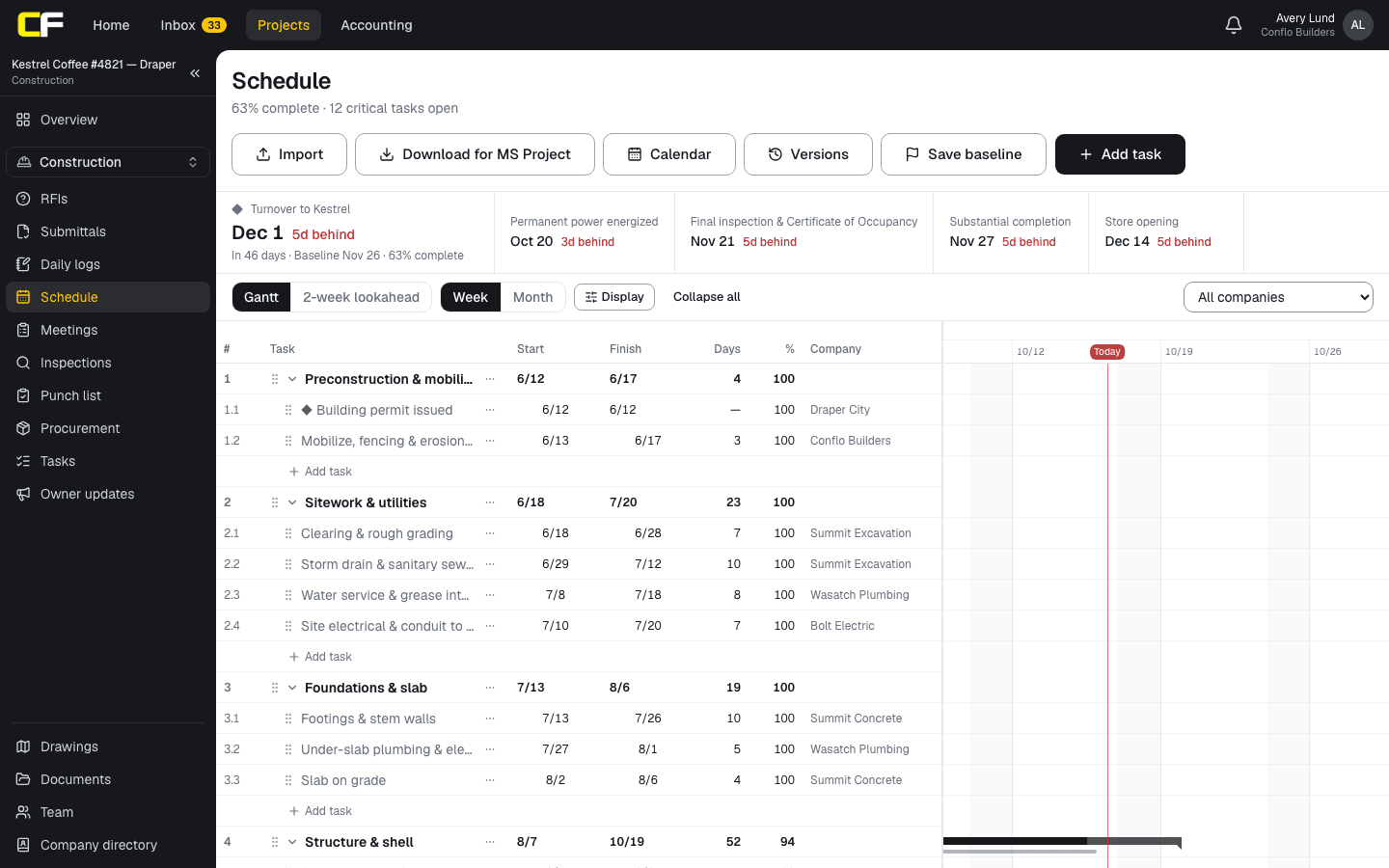
In Conflo's schedule the GC builds phases, tasks and milestones, links them finish-to-start, start-to-start, finish-to-finish or start-to-finish with a lag in days, and sets the project's work week and holidays. Float and the critical path are calculated from the dates on the schedule, counting working days only, and a loop of links is refused. When a predecessor slips, linked work that hasn't started moves later; nothing is pulled earlier on its own.
If you build schedules in Microsoft Project or Primavera P6, import the XML export instead of retyping it (Conflo vs Microsoft Project covers what comes across). When the team agrees on the schedule, Save baseline copies the dates as the yardstick for slippage.
The bottom line
A buildable schedule comes from the estimate: priced scopes split into activities of 20 working days or less, durations from crew output, every activity linked, and procurement in the network.
Run the critical path before you trust a finish date. On many jobs a long-lead item, not the concrete, decides it.
Sources
- UFGS 01 32 01.00 10, Project Schedule (August 2026), §3.3.2, §3.3.4, §3.3.5, §3.3.6, §3.3.11 and §3.3.16 — U.S. Army Corps of Engineers (Whole Building Design Guide). Read October 22, 2026.
- FAR 52.236-15, Schedules for Construction Contracts — Acquisition.gov (General Services Administration). Read October 22, 2026.
Questions
What is the first step in building a construction schedule?
Break the work into activities. Start from the estimate's scopes and bid packages, group them into phases, and split each by area or floor until no construction activity is longer than about 20 working days.
How do you estimate activity durations?
Divide the quantity by the crew's daily output and round up to whole working days: 12,000 square feet of slab at 4,000 square feet a day is three days. Use the crew sizes the subcontractor priced, and ask them to confirm.
Should procurement be in the construction schedule?
Yes. Shop drawings, review, fabrication and delivery for long-lead items are activities with their own durations and links. Leaving them out can put the wrong work on the critical path and show a finish date that can't happen.
How detailed should a commercial schedule be?
Detailed enough to measure progress at each monthly update: construction activities of 20 working days or less, each with a responsible company. Day-by-day detail belongs in the three-week look-ahead.
When do you set the baseline?
After the schedule has been reviewed with the major subcontractors and accepted by the owner. The baseline is the yardstick every later update is measured against, so set it on the version everyone agreed to.
Related
Construction
How Do You Build a Three-Week Look-Ahead Schedule?
How to build a three-week look-ahead from the master schedule: crew-sized pieces of work, what must be ready, and how to run it at the weekly meeting.
· 7 min read
Definition
What Is the Critical Path in Construction?
The critical path is the longest chain of linked activities in a construction schedule. A worked five-activity example, float, and what a delay does.
· 4 min read
Definition
What Is Float in a Construction Schedule?
Float is how many working days an activity can slip. Total float vs free float, worked on a five-activity network, and who owns the float.
· 4 min read
Comparison
Conflo vs Microsoft Project for Construction Schedules
Conflo vs Microsoft Project for construction schedules: critical path, float, baselines, lookaheads, resources and file exchange, from their own pages.
· 6 min read
Construction
How Do You Update a Construction Schedule?
How to update a construction schedule each month: the data date, actual dates, remaining durations, the baseline comparison and a slip narrative.
· 7 min read
Role hub
The General Contractor's Guide: Bid to Closeout
What a general contractor is responsible for at every phase of a commercial job, from bidding and buyout to RFIs, change orders, pay apps and closeout.
· 8 min read