
Conflo vs Buildertrend for Commercial Contractors
By Wyatt Cooper · Published · 6 min read · Last checked
Key takeaways
- Buildertrend describes itself as a residential construction management platform; it also markets to commercial contractors for restaurant, office and retail buildouts.
- Conflo is built for commercial work: trade bids and leveling, submittals with sequential review, and pay apps with retainage and lien waivers, on every plan.
- Both include unlimited users. Conflo publishes its prices and charges only the GC, by active project; Buildertrend's pricing page starts with a form and recommends one of three plans.
- For homebuilders and remodelers, Buildertrend is the better choice: it has a client portal, selections, homeowner warranty requests, lead management and homeowner payments, which Conflo does not.
Choose by the work you build. Buildertrend calls itself a residential construction management platform, with a client portal, selections, warranties and sales tools for homebuilders and remodelers. Conflo is built for commercial jobs: trade bids to subs, bid leveling, submittals with design review, and pay applications with retainage and lien waivers, priced per active project with published prices and free access for subs, owners and architects. For residential work, choose Buildertrend; for commercial GC work, compare the two below.
Conflo and Buildertrend at a glance
Buildertrend's own site blocked our page reader on the day we checked, so its facts below come from the Internet Archive's copies of its pages, each dated in the sources. Check Buildertrend's live pages before you rely on a figure. Conflo's facts are from its pricing page and the app as it is today.
| Conflo | Buildertrend | |
|---|---|---|
| Built for | Commercial GCs, their subs, owners and architects | "Home builders, remodelers and specialty contractors"; also lists commercial contractors |
| Price | Published: $0, $599 or $1,499 a month, or Enterprise by quote | Three plans; the page starts with a form (Feb 2026 copy: $499, $799 or $1,099 a month) |
| Priced by | Active project; unlimited users; only the GC pays | Plan tier; unlimited users |
| Bidding to subs | Trade bids with scope items, Q&A and addenda; leveling grid | Bids (named in its Advanced plan description) |
| Submittals | Sequential GC, design and consultant review, revisions kept | Listed among its key features (product overview); not named in its plan lists |
| Pay apps and retainage | Sub pay apps roll into the owner pay app; retainage and lien waivers | Invoices and subcontractor payments; pay apps and retainage not named in its plan lists |
| RFIs | Every plan | Complete plan only, per the plan list |
| Client portal, selections, warranties, CRM | No homeowner portal, selections, homeowner warranty requests or CRM; a commercial warranty log at closeout | Yes |
| Accounting | No live integrations; approved sub pay apps export to your bookkeeper as a file | QuickBooks and Xero on every plan, per the plan list |
Who Buildertrend is built for
Buildertrend's product overview says: "Our residential construction management platform was built with you in mind," for "home builders, remodelers and specialty contractors." Its tools start with sales: lead capture, proposals and email marketing, then a customer portal that keeps "homeowners involved and informed".
It does reach into commercial work. Its site menu lists commercial contractors ("Manage restaurant, office and retail buildouts"), and its Buildertrend vs Procore page says it can handle "less complex commercial projects" such as retail, restaurants and multifamily, while "Procore is known for its commercial contractor features".
The commercial workflow: submittals, pay apps, retainage
A commercial GC's month runs on paperwork a residential job rarely needs: submittals reviewed by the architect and engineers, pay applications with a schedule of values and retainage, lien waivers before each payment, and bids leveled by scope. That is where the two products differ most.
Buildertrend's plan list (February 2026 copy) names change orders, a sub portal, subcontractor payments, invoices and, on its top plan, RFIs and specifications. It does not name pay applications or retainage, and its product overview lists submittals among its key features. Absence from a list isn't proof a product can't do something, so ask Buildertrend to show you the commercial workflow before you buy.
In Conflo those are core tools on every plan: submittals move through GC review, design review and an optional consultant review with standard review codes; pay apps calculate retainage on work completed and stored, and a sub's payment waits on its lien waivers; trade bids go out by trade with scope items and addenda, and come back into a leveling grid.
Pricing
Buildertrend's pricing page starts with a form about your business and recommends a plan. The February 28, 2026 copy of that page lists three plans: Essential at $499 a month ($449 a month paid annually), Advanced at $799 ($719) and Complete at $1,099 ($989). Its form asks for builder type and annual construction volume. These are archived figures; check the live page.
Conflo's pricing page: Free for one active project; Team $599 a month for up to five, extra projects $179 a month each; Business $1,499 a month for up to fifteen; paid yearly, two months free. Every tool is on every plan, users are unlimited, and subs, owners and architects never pay.
Choose Buildertrend if…
- You build homes or remodel: Buildertrend's client portal, selections, homeowner warranty requests and homeowner payments are built for that, and Conflo has none of them.
- You want lead management, proposals and email marketing in the same system.
- You need QuickBooks or Xero connected now; Conflo has no live integrations, only a file export of approved sub pay apps for your bookkeeper.
- You want an established product with training options and a sub portal your trades may already know, available today.
Choose Conflo if…
- You are a commercial GC whose jobs run on submittals, pay apps with retainage, lien waivers and leveled trade bids.
- You want a published price per active project, with subs, owners and architects free.
- You want every tool on every plan rather than features tied to a tier.
- You are starting new jobs and can join the waitlist while Conflo opens to companies.
See also Buildertrend's pricing explained and Buildertrend alternatives for commercial work.
How it works in Conflo
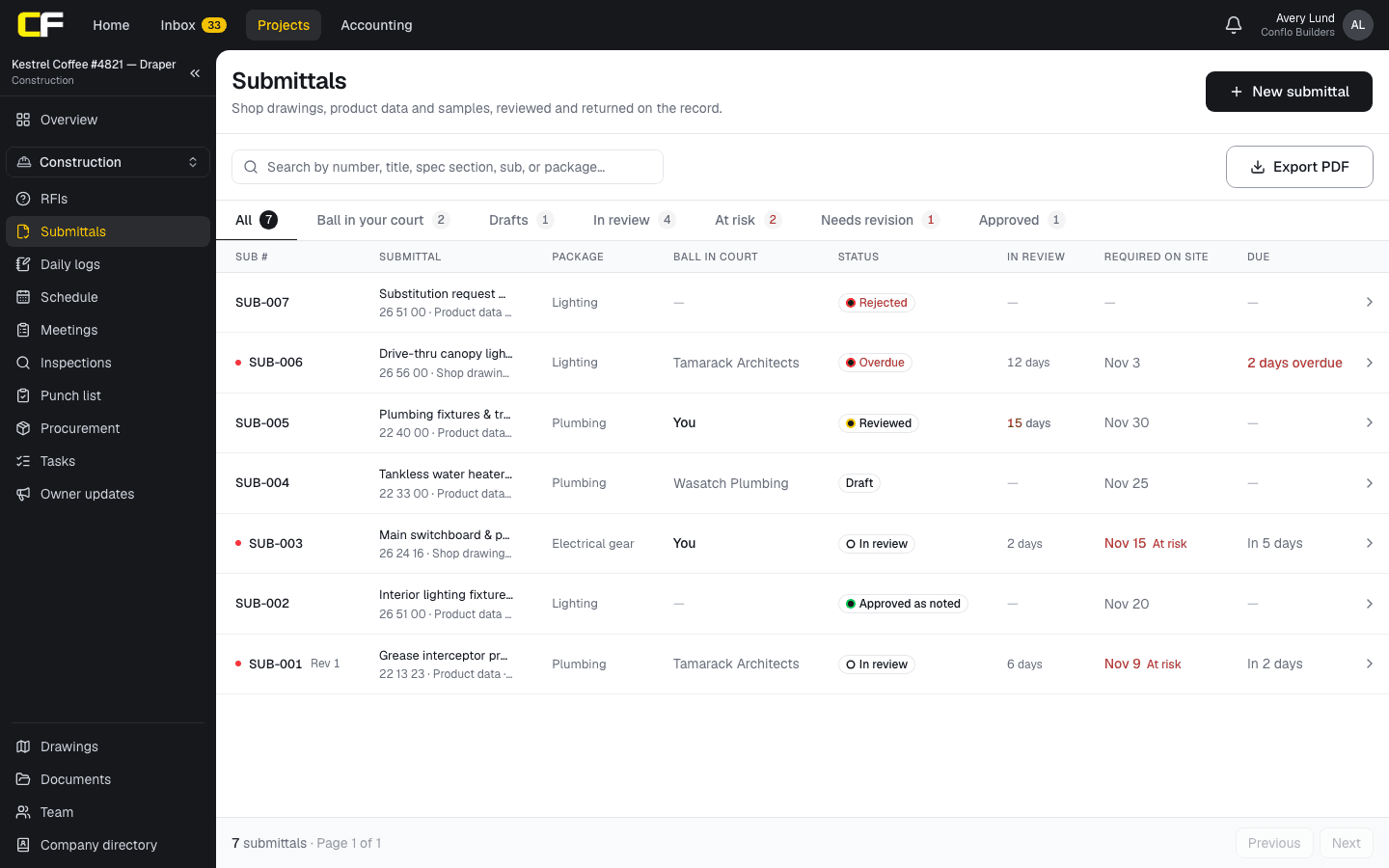
The submittal log shows each submittal's spec section and package, whose court it is in, its status, days in review and the date the material is needed on site.
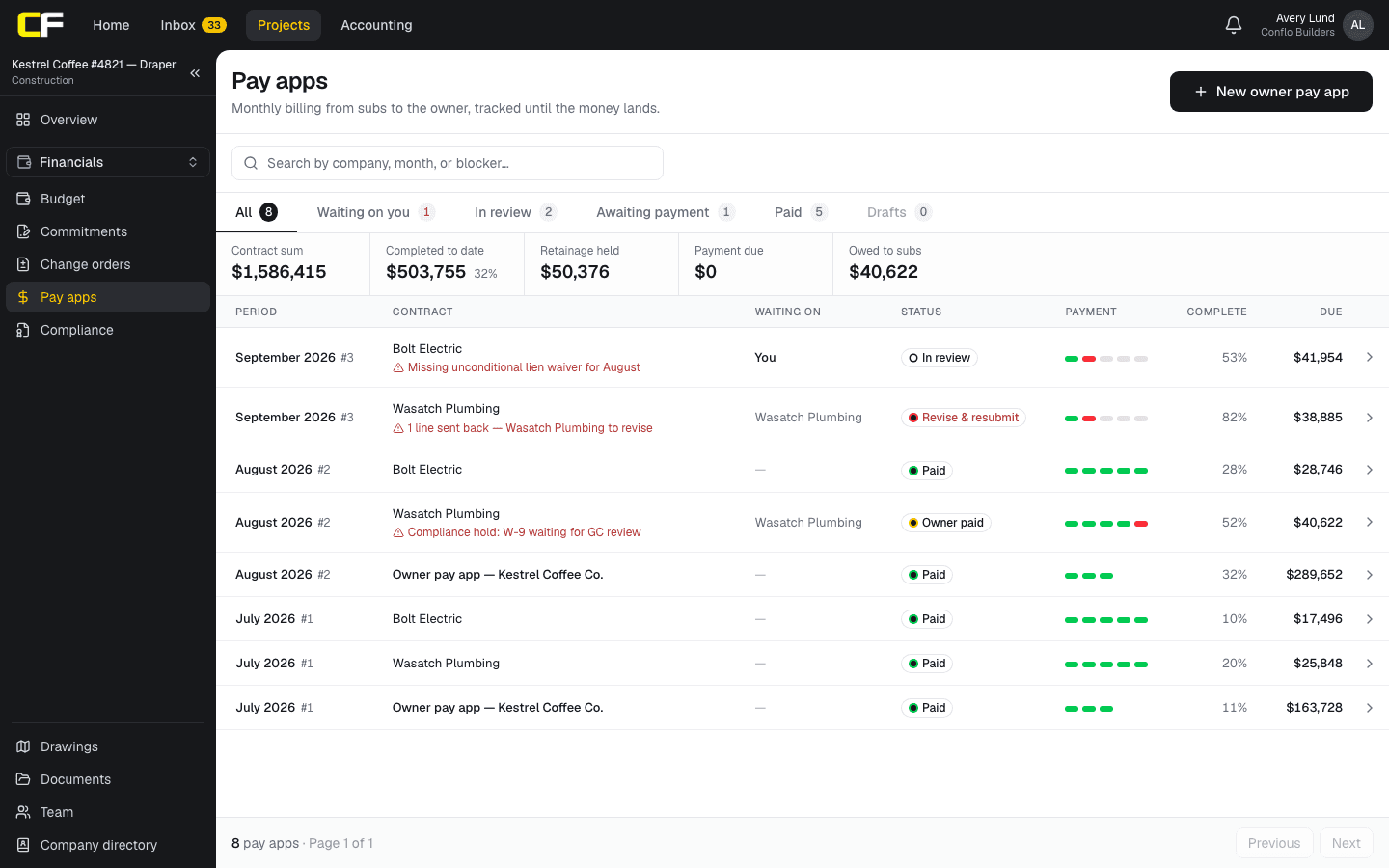
On Pay apps, the job's contract sum, work completed, retainage held and payment due sit above each month's sub and owner pay apps, with what is blocking each one.
The bottom line
Buildertrend is the stronger product for homebuilders and remodelers, with client-facing tools Conflo doesn't have. For commercial GC work, Conflo puts submittals, pay apps with retainage and leveled bids on every plan, at a published price per project.
If your work is commercial, join the Conflo waitlist.
Sources
- Product overview (Internet Archive copy, October 9, 2026) — Buildertrend. Read October 16, 2026.
- Home page and site menu (Internet Archive copy, October 8, 2026) — Buildertrend. Read October 16, 2026.
- Construction management software pricing (Internet Archive copy, February 28, 2026) — Buildertrend. Read October 16, 2026.
- Buildertrend vs. Procore (Internet Archive copy, September 23, 2025) — Buildertrend. Read October 16, 2026.
- Subcontractor software (Internet Archive copy, September 23, 2025) — Buildertrend. Read October 16, 2026.
Questions
Can Buildertrend be used for commercial construction?
Buildertrend says it can handle less complex commercial projects such as retail, restaurants and multifamily, and its site lists commercial contractors. It describes its platform as residential, so check that it covers your submittal and pay-app process before you buy.
Does Conflo have a client portal like Buildertrend?
Not for homeowners. Conflo gives a commercial owner and the architect their own free access to the project, but it has no homeowner portal, selections or homeowner payments. For residential clients, Buildertrend is the better fit.
How much does Buildertrend cost compared with Conflo?
Buildertrend's pricing page starts with a form and recommends a plan; a February 2026 copy of its pricing page listed $499, $799 and $1,099 a month. Conflo publishes free, $599 and $1,499 a month plans, priced by active project with unlimited users.
Do subs pay to use Conflo?
No. Only the general contractor pays. Subcontractors, owners and architects work on a GC's projects free, and a sub keeps one free login across every GC they work with.
Related
Pricing explainer
How Much Does Buildertrend Cost?
Buildertrend's three plans (Essential, Advanced, Complete), their monthly prices as its pricing page listed them, what each adds, and yearly totals.
· 4 min read
Alternatives
Buildertrend Alternatives for Commercial Work
Buildertrend alternatives for commercial and residential contractors, compared on published price and pricing model, and when Buildertrend still wins.
· 5 min read
Comparison
Conflo vs Procore for Small and Mid-Size GCs
Conflo vs Procore for small and mid-size general contractors: how each is priced, what each covers, where Procore is stronger, and who should choose which.
· 7 min read
Money
How Does a Subcontractor Fill Out a Pay Application?
A subcontractor's pay app bills percent complete and stored materials per schedule-of-values line, less retainage and prior payments, with a lien waiver.
· 9 min read
Role hub
The General Contractor's Guide: Bid to Closeout
What a general contractor is responsible for at every phase of a commercial job, from bidding and buyout to RFIs, change orders, pay apps and closeout.
· 8 min read