
How Does an Architect Issue a Drawing Revision?
By Wyatt Cooper · Published · 7 min read
Key takeaways
- A revised sheet shows what changed three ways: a cloud around each change, a delta (a triangle with the revision number) beside each cloud, and a line in the revision block.
- Cloud only the current revision's changes; earlier clouds come off so the reader sees what is new this time.
- Issue revised sheets as a named set, such as an ASI or a bulletin, with a transmittal listing every sheet and its revision number.
- A revision changes the drawings; it doesn't by itself change the contract price or time. If it adds cost, the change goes through a change order.
To issue a drawing revision, change the sheet, draw a cloud around each changed area and place a delta, a triangle with the revision number, beside each cloud. Add a line to the title block's revision block with the number, date and a short description. Remove the clouds from earlier revisions so only this one's show. Issue the revised sheets together as a named set, such as an ASI or bulletin, with a transmittal listing every sheet and its new revision.
Revision, ASI or bulletin: what carries the sheet
A revised sheet always travels inside something. During construction it is usually an ASI, the architect's instruction for a minor change, or a bulletin, a package of changes the contractor is asked to price. Before bids it is an addendum. The vehicle says what the change means for the contract; the sheet shows the change itself. ASI vs RFI explains the difference between the instruction and the question that often starts it.
The marks are a drafting convention rather than a single law. The U.S. National CAD Standard (NCS version 7, from the National Institute of Building Sciences) is the common reference; it includes the Uniform Drawing System and the AIA CAD Layer Guidelines, it is licensed rather than free, and many offices write their revision rules into their own CAD manual. Public agencies publish theirs, and the two below show the choices you have to make.
| Choice | Iowa DOT, Bridges and Structures (November 2024) | WSDOT Plans Preparation Manual, Appendix 5 (September 2025) |
|---|---|---|
| Mark the change | Cloud the change; place the revision triangle "as near as possible" to it | Use the cloud line tool to "identify an item(s) or area(s) to be changed" |
| Deleted work | "NEVER DELETED but crossed-through (strike-over) with 2 lines" | "Completely removed from the sheet", with no cloud, and noted in the revision block |
| Later revisions | Clouds from the previous revision are removed, "leaving the strike-over" | Each addendum's changes noted and shaded in the revision block |
| Too many changes | Not addressed | A replacement sheet when clouds would cover "over 50%" of it |
Many building-design offices follow the left column: cloud and delta every change, strike through rather than erase where the old information matters, and clear the old clouds at each new issue while keeping each delta and the revision block history.
Issue it in seven steps
- Make the change on every sheet it touches: plan, sections, details, schedules. One moved door is often a floor plan, an enlarged plan, a door schedule and an electrical plan.
- Remove the clouds from the previous revision on each sheet you reissue. Leave the old deltas, so the sheet's history stays readable.
- Cloud each changed area, tightly enough that a reader finds the change without searching.
- Place a delta with the new revision number beside each cloud.
- Add a line to the revision block: number, date, and a description that names the vehicle ("Bulletin 2: add floor box at conference 110").
- Update the sheet index on the cover sheet so it lists the current revision of every sheet.
- Issue the sheets together under the ASI or bulletin with a transmittal: each sheet number, title and revision.
A worked example: Bulletin 2
A fictional office fit-out, Harbor Point Offices, floor 2. The tenant wants power and data at the conference table in room 110, so the architect issues Bulletin 2 and asks the contractor to price a floor box. A minor change with no price would go out as an ASI instead; see how to write an ASI.
Bulletin 2: Add floor box at conference 110 (issued June 12)
- A-201 Second floor plan
- Revision 3. Cloud and delta 3 at the conference table in room 110. Revision block: "3, June 12, Bulletin 2: add floor box at conference 110."
- A-401 Enlarged plans
- Revision 2. Cloud and delta 2 at the conference room plan. Earlier revision 1 clouds removed; delta 1 stays.
- E-201 Second floor power and data
- Revision 2. New floor box, circuit and data run clouded; delta 2.
- E-501 Electrical details
- Revision 1. Floor box detail added; cloud and delta 1.
- Not affected
- M-201: no ductwork or diffusers move. Listed so the contractor knows it was checked.
- Cost and time
- Price requested within 10 days. Do not proceed until a change order is issued.
The revision numbers differ by sheet, which is normal where each sheet counts its own issues. The transmittal ties them to one event. Where the federal clause applies, FAR 52.236-21 has the Contracting Officer "furnish from time to time such detailed drawings and other information as considered necessary, unless otherwise provided", and the contractor keeps "a copy of the drawings and specifications" on site; a clean set of current sheets is what makes that copy right.
- 1ArchitectRevises every affected sheet, clouds and deltas the changes, updates the revision blocks
- 2ArchitectIssues the sheets under Bulletin 2 with a transmittal and a request for price
- 3General contractorLogs the new revisions, marks the old sheets superseded, gets prices from the affected trades
- 4OwnerApproves the price by change order
- 5SubcontractorsBuild from the current revision
Mistakes that cause rework in the field
- Changing a sheet without a cloud. The field doesn't reread a whole sheet; an unclouded change gets built wrong.
- Leaving every old cloud on. After three revisions the sheet is all clouds and nobody can see this week's change.
- Revising one sheet of several. The plan says one thing and the schedule another; the specification governs on federal work (FAR 52.236-21 says "the specifications shall govern" in a conflict between drawings and specifications), but two sheets that disagree start an RFI.
- A revision block that says "revised per comments". Name the ASI, bulletin or RFI.
- Burying a cost change in a revision. If it changes scope, say so and route it as a change.
How it works in Conflo
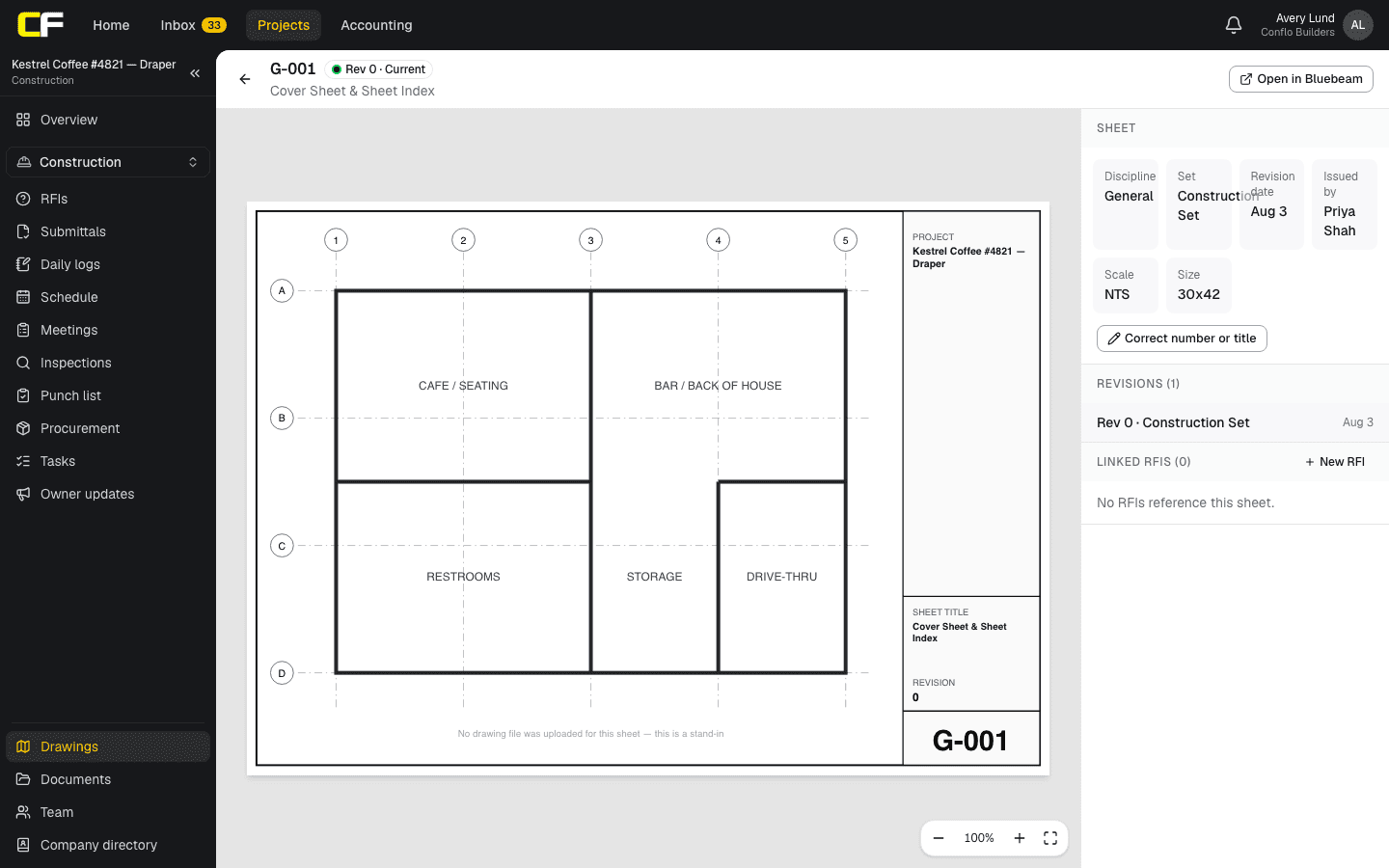
In Conflo's drawings, the GC or the design team issues a set, such as Bulletin 2, with an issue date and a note on what changed. Each sheet number that already exists gets its next revision and the previous one is marked superseded, never deleted. The log shows the current set by default; opening an old revision warns not to build from it and links to the current one. Each sheet shows its revision history and the RFIs that reference it.
Conflo numbers revisions by its own count of issues for that sheet, starting at Rev 0, so it may not match the delta on a sheet whose earlier revisions were issued before the project moved to Conflo. The clouds and deltas stay on the sheet itself.
The bottom line
A drawing revision is readable when every change has a cloud and a delta, the revision block names why, and only this issue's clouds are on the sheet.
Issue revised sheets together under one ASI or bulletin with a transmittal, so the contractor can retire the old sheets the same day. Architects can read the CA guide for the rest of the phase, and the project lifecycle for the whole job.
Sources
- Creating Plan Revisions, B.S.B. Version (MicroStation CONNECT Edition), November 2024 — Iowa Department of Transportation, Bridges and Structures Bureau. Read October 22, 2026.
- Plans Preparation Manual M 22-31.13 (September 2025), Appendix 5, Addendum Preparation — Washington State Department of Transportation. Read October 22, 2026.
- United States National CAD Standard, Version 7 — National Institute of Building Sciences. Read October 22, 2026.
- FAR 52.236-21, Specifications and Drawings for Construction — Acquisition.gov (General Services Administration). Read October 22, 2026.
Questions
What is a revision cloud on a drawing?
A scalloped outline drawn around the part of a sheet that changed in the current revision, so readers find the change without comparing the whole sheet. A delta with the revision number sits beside it.
What is the delta symbol on construction drawings?
A triangle containing the revision number. It sits next to each clouded change and matches a line in the sheet's revision block that gives the date and reason for that revision.
Should old revision clouds be removed?
Usually yes. Common practice, and Iowa DOT's published standard, removes the previous revision's clouds when a sheet is revised again, so only the latest changes are clouded. The deltas and revision block keep the history.
Does each sheet have its own revision number?
Usually. Most offices count revisions per sheet, though some number the delta by project-wide issue; per sheet, one bulletin can carry A-201 revision 3 and E-501 revision 1. The transmittal lists every sheet and its revision for that issue.
Is a drawing revision a change order?
No. A revision changes the drawings. If it changes the contract price or time, that change is agreed separately, through a change order, often after the contractor prices a bulletin.
Related
Construction
How Does an Architect Write an ASI?
How an architect writes an ASI: what it may change, the parts of a good one, a filled-in example, and when it must become a change order.
· 8 min read
Definition
ASI vs RFI: What Is the Difference?
ASI vs RFI: an RFI is the contractor's question about the documents; an ASI is the architect's written instruction or minor change, with no cost or time.
· 4 min read
Definition
What Is a Transmittal in Construction?
A transmittal is the cover sheet that records what was sent, to whom, when and why, such as a submittal sent to the architect. The fields, with an example.
· 3 min read
Role hub
The Architect's Guide to Construction Administration
The construction administration phase from the architect's seat: site visits, RFIs, ASIs, submittals, pay certification, changes and closeout.
· 8 min read
Bidding
How Do You Read Construction Drawings Before You Bid?
How a subcontractor reads a drawing set before bidding: the index and notes, your sheets and everyone else's, details, schedules, specs and gaps.
· 7 min read