
Best Construction Software for Small GCs
By Wyatt Cooper · Published · 6 min read · Last checked
Key takeaways
- The best software for a small GC is the one that covers your commercial paperwork (bids, RFIs, submittals, change orders, pay apps with retainage) on a plan you can afford.
- How a product charges matters as much as what it costs: per user, per project, by construction volume, or by tier.
- Your subs, owner and architect have to use it too, so check whether invited partners pay.
- Weigh what each product does not do yet, such as integrations or payments, against what you need on day one.
There is no single best: the right software for a small GC covers the commercial workflow you run (bidding to subs, RFIs, submittals, change orders and pay apps with retainage) at a price that does not punish you for adding people or jobs, and that your subs, owner and architect will use. Measure each product against those criteria and its own published price. Below are seven products, including ours, Conflo, measured the same way, with where each is stronger.
Six criteria for a small GC
- Commercial workflow: trade bids and leveling, RFIs, submittals, change orders, and pay apps with a schedule of values, retainage and lien waivers.
- Pricing you can see: a published price, so you can budget before a sales call.
- How the price grows: per user, per project, by construction volume, or by tier. A small GC adds field staff and jobs unevenly.
- Partners: whether subs, owners and architects can join without paying, because they won't use a tool they must buy.
- Setup: whether you can set it up yourself, and what onboarding costs.
- What it lacks: integrations, payments, mobile apps and support hours, set against what you need on day one.
Seven products measured against the criteria
Every price is from the product's own page on the date at the top of this page (Buildertrend's from the Internet Archive's February 2026 copy, as its live site refused our reader). Conflo is our product; it is measured the same way as the others. Each product's full price list is in Procore alternatives and Buildertrend alternatives; here the question is how each one fits the criteria.
| Product | Price published? | Price grows with | Commercial workflow on the plan | Partners |
|---|---|---|---|---|
| Conflo | Yes | Active projects | Bids, leveling, RFIs, submittals, change orders, pay apps with retainage, on every plan | Subs, owners and architects free |
| Procore | No; quote | Products and construction volume | Broad, by product (Project Management, Financials, Bid Management…) | Unlimited users in the fee |
| Autodesk Forma bundles | No; quote | Users, projects or account | Preconstruction and construction operations bundles | Per quote |
| Fieldwire | Yes, with a free plan | Users | RFIs, submittals, change orders, budget on Business Plus ($89) | Per user |
| Buildertrend | Behind a form (listed in its Feb 2026 copy) | Tier | Residential focus; RFIs on Complete | Sub portal from Advanced |
| JobTread | Yes | Internal users | Job management for residential and commercial | Customer and vendor users free |
| Contractor Foreman | Yes | User-count tier | All-in-one for small contractors | By plan |
How the price grows: a worked example
Price models matter most when you grow. Here is one small GC, measured only with products that publish a price that applies to it.
12 users, 4 active jobs
- Conflo Team
- $599 a month (4 active projects; users unlimited)
- Fieldwire Business Plus (RFIs, submittals)
- 12 × $89 = $1,068 a month, billed annually
- JobTread
- $199 (first user included) + 9 × $20 (users 2–10) + 2 × $15 (users 11–12) = $409 a month
- Contractor Foreman Pro (up to 15 users)
- $221 a month billed annually ($279 monthly)
- Procore, Autodesk
- Quote only: cannot be worked out from their pages
- What changes at 20 users
- Conflo $599 (unchanged); Fieldwire 20 × $89 = $1,780
Price is one criterion. Fieldwire is strongest in the field, JobTread and Contractor Foreman in residential and small-business back office, and none of the per-user figures above buys the same tools; check the commercial workflow before price.
Where the others are stronger than Conflo
- Procore: an established platform with integrations, payments and unlimited 24/7 support, and onboarding in "30 days or less" (small business page); priced by quote (pricing).
- Autodesk: deep preconstruction (BuildingConnected Pro, Bid Board Pro, TradeTapp) and model coordination (pricing).
- Fieldwire: a free plan for small teams and strong field plan and task tools (pricing).
- Buildertrend, JobTread, Contractor Foreman: client-facing and residential tools and accounting connections that Conflo doesn't have (Buildertrend, JobTread, Contractor Foreman).
- Every one of them: available to buy today. Conflo is new, has no live integrations, doesn't process payments, and is opening to companies from a waitlist.
Choose by what matters most
- Integrations, payments and scale today: Procore.
- Preconstruction depth and design coordination: Autodesk.
- A free start for a field crew on plans and tasks: Fieldwire.
- Residential or mixed work with clients in the system: Buildertrend, JobTread or Contractor Foreman.
- Commercial bid-to-closeout at a published per-project price, with subs, owners and architects free: Conflo.
Narrowing it down? See Procore alternatives and Conflo vs Procore, and for the work itself, how to calculate retainage.
How it works in Conflo
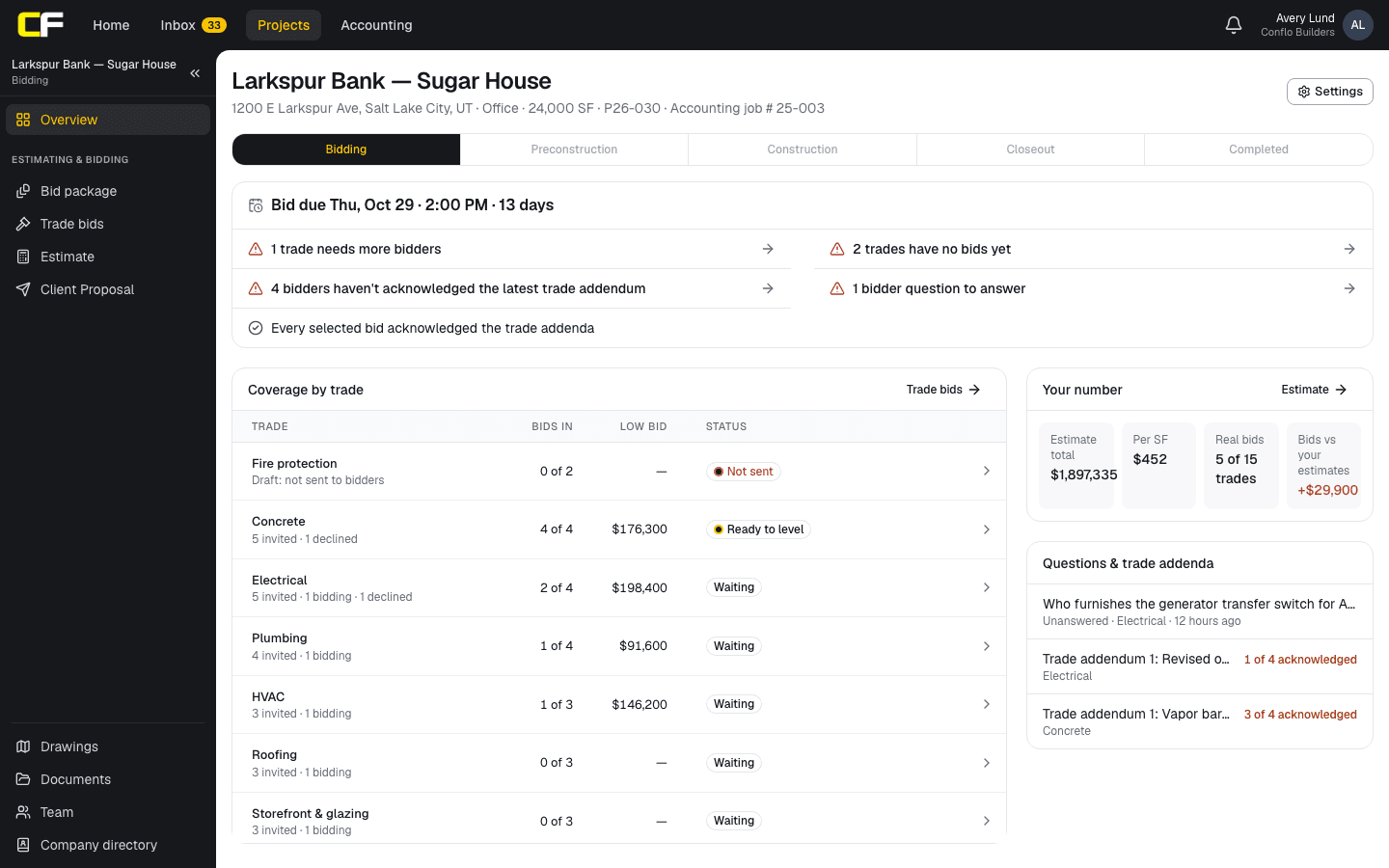
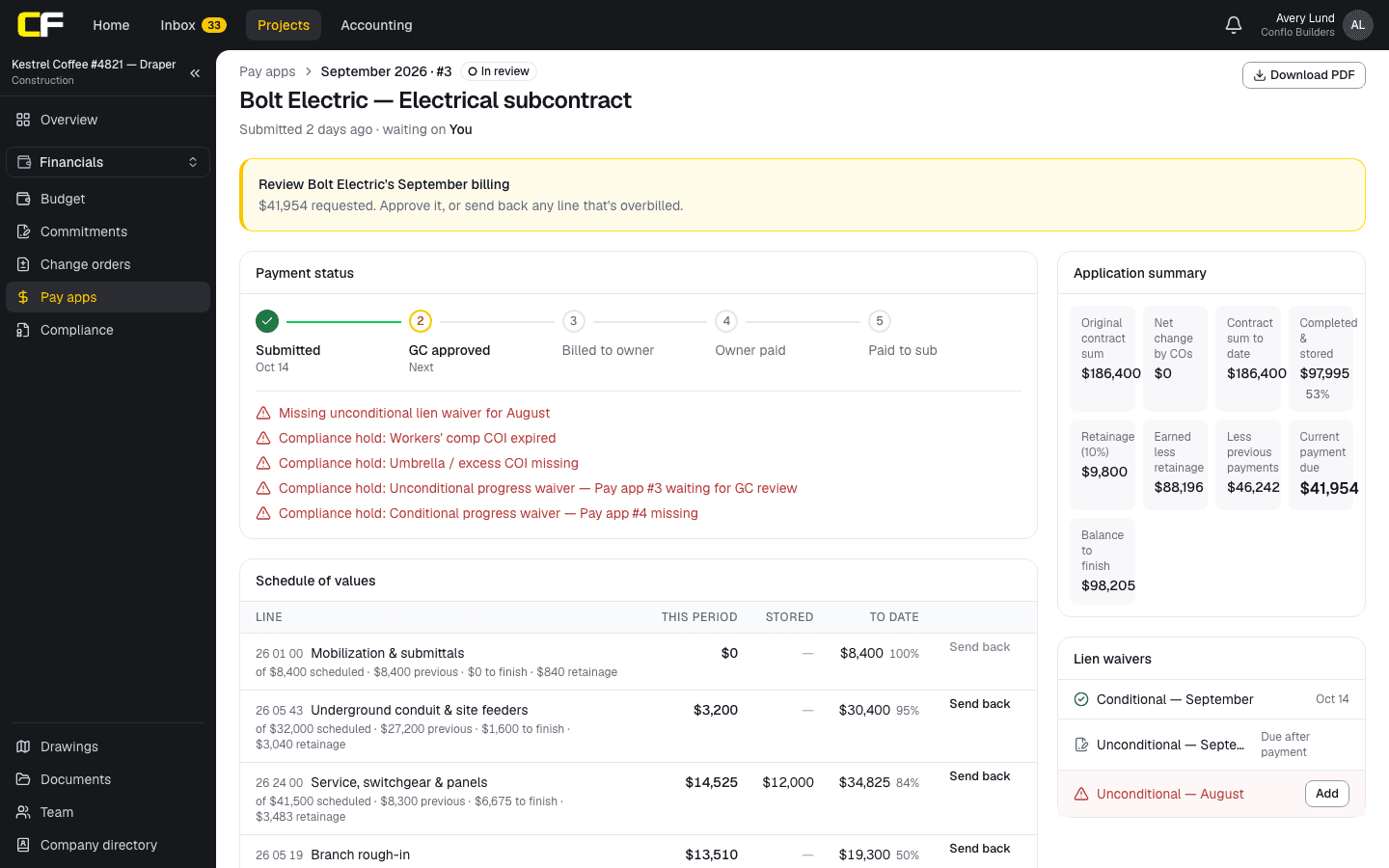
In Conflo the job runs in one place: Trade bids and leveling on the bidding job, then RFIs, submittals and daily logs, then Pay apps, where each sub bills against its schedule of values, the GC reviews line by line, retainage is calculated and payment waits on lien waivers.
The bottom line
Start from the criteria: the commercial workflow you run, a price you can see and how it grows, partners who can join free, and what each product lacks today. Then compare the published prices.
If a commercial bid-to-closeout platform at a per-project price fits, book a walkthrough, or join the Conflo waitlist.
Sources
- Procore pricing — Procore Technologies. Read October 16, 2026.
- Construction software for small businesses — Procore Technologies. Read October 16, 2026.
- Pricing — Autodesk. Read October 16, 2026.
- Pricing — Fieldwire. Read October 16, 2026.
- Construction management software pricing (Internet Archive copy, February 28, 2026) — Buildertrend. Read October 16, 2026.
- Pricing — JobTread. Read October 16, 2026.
- Pricing — Contractor Foreman. Read October 16, 2026.
Questions
What is the best construction management software for a small general contractor?
The one that covers your commercial workflow (bids, RFIs, submittals, change orders, pay apps with retainage) at a price that does not climb with every user, and that your subs and owner will use. Measure each product against those criteria and its published price.
Is per-user or per-project pricing better for a small GC?
Per-project pricing usually suits a GC that adds field staff and invites many partners, since people cost nothing extra. Per-user pricing can be cheaper for a very small team on many small jobs. Work out both for your own numbers.
Is there free construction management software for a small GC?
Conflo is free for one active project with every tool and unlimited users. Fieldwire's free plan covers up to 5 users, 3 projects and 100 sheets, without RFIs or submittals.
Why don't Procore and Autodesk show prices?
Both quote each company. Procore prices each product by annual construction volume; Autodesk says it uses user, project and account-based pricing. Ask each for a written quote.
Related
Alternatives
Procore Alternatives for Small and Mid-Size GCs
Procore alternatives for small and mid-size general contractors, compared on published price, pricing model and commercial tools, with who each one suits.
· 6 min read
Comparison
Conflo vs Procore for Small and Mid-Size GCs
Conflo vs Procore for small and mid-size general contractors: how each is priced, what each covers, where Procore is stronger, and who should choose which.
· 7 min read
Alternatives
Buildertrend Alternatives for Commercial Work
Buildertrend alternatives for commercial and residential contractors, compared on published price and pricing model, and when Buildertrend still wins.
· 5 min read
Money
How Do You Calculate Retainage on a Pay App?
Retainage is a percentage of work completed and stored to date, held back each pay period. How to calculate it, reduce it, release it, with an example.
· 9 min read
Role hub
The General Contractor's Guide: Bid to Closeout
What a general contractor is responsible for at every phase of a commercial job, from bidding and buyout to RFIs, change orders, pay apps and closeout.
· 8 min read